
Not finding what you're looking for?
Contact UsWebhook Payload Reference
ReferenceThis reference covers the structure of webhook payloads sent by Messijo, the HTTP headers included, content type options, signature validation, and retry behavior. For step-by-step setup instructions, see Webhook Setup.
Payload schema
When a keyword match triggers a notification, Messijo sends a POST request with the following JSON body:
{
  "keyword": "acme",
  "platform": "hackernews",
  "author": "user123",
  "content": "Has anyone tried Acme? It looks like a great alternative to...",
  "url": "https://news.ycombinator.com/item?id=123456",
  "matchedAt": "2024-01-15T10:30:00Z",
  "lensResult": {
    "lensId": "lens_abc123",
    "passed": true,
    "confidence": 0.85
  }
}
Fields
| Field | Type | Required | Description |
|---|---|---|---|
keyword |
string | Yes | The keyword that matched the post |
platform |
string | Yes | The platform where the mention was found (bluesky, hackernews, lobsters) |
author |
string | Yes | The username of the person who posted |
content |
string | Yes | The full text of the post or comment |
url |
string | Yes | A direct link to the original post |
matchedAt |
string (ISO 8601) | Yes | Timestamp when the match was found, in UTC |
lensResult |
object | No | Present only if a Lens classified the event |
lensResult.lensId |
string | No | The ID of the Lens that classified the event |
lensResult.passed |
boolean | No | Whether the event passed the Lens filter |
lensResult.confidence |
number | No | Backend Lens confidence value included in webhook payloads when available. The dashboard does not expose confidence review controls. |
The lensResult field only appears if you have Lenses configured and the event was classified.
HTTP headers
| Header | Value | Required |
|---|---|---|
Content-Type |
application/json (or your selected content type) |
Yes |
X-Messijo-Signature |
Your configured secret value | Only if a secret is set |
User-Agent |
Messijo-Webhook/1.0 |
Yes |
Content type options
When configuring a webhook channel, you can select the content type for the POST body:
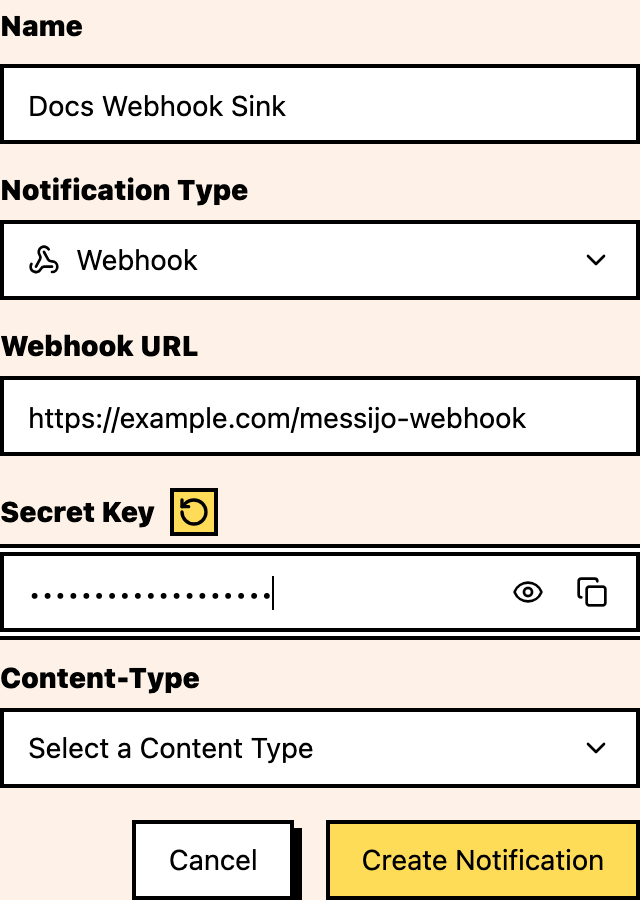
| Content Type | Body Format | Best For |
|---|---|---|
application/json |
JSON object (recommended) | Most integrations, APIs, Zapier, Make |
application/x-www-form-urlencoded |
Form-encoded key-value pairs | Simpler endpoints that expect form data |
Choose the content type that matches what your endpoint expects to parse.
Signature validation
If you set a secret when configuring your webhook, Messijo includes it in the X-Messijo-Signature header of every request. Always verify this header matches your expected secret before processing the request.
// Express example
app.post('/api/messijo-webhook', (req, res) => {
  const signature = req.headers['x-messijo-signature'];
  if (signature !== process.env.MESSIJO_SECRET) {
    return res.status(401).send('Unauthorized');
  }
  // Process the webhook
  res.status(200).send('OK');
});
Without a secret, anyone who knows your webhook URL could send fake notifications. The secret ensures only Messijo can trigger your endpoint.
Response requirements
Your endpoint should return a 200 (or 2xx) response quickly. Messijo expects a response within 10 seconds. If your processing takes longer, queue the work and return 200 immediately.
Retry behavior
Messijo may retry failed requests:
- Your endpoint should be idempotent: processing the same event twice should not cause problems
- If your endpoint returns a non-2xx status or times out, Messijo will retry
- Retries use exponential backoff
- Failed events that exceed the retry limit are dropped
Related articles
- Webhook Setup: step-by-step setup guide
- Notification Routing: route different keywords to different webhooks
- Connecting Slack: Slack as an alternative channel