
Not finding what you're looking for?
Contact UsPer-Platform Setup
How ToNot every keyword makes sense on every platform. Your brand name might be discussed constantly on BlueSky but rarely on Hacker News. A technical term might get heavy use on Hacker News but be irrelevant on BlueSky. Messijo lets you pick which platforms each keyword monitors, so you get clean coverage without wasting quota on noise.
Prerequisites
You need at least one keyword configured.
Why platform selection matters
Monitoring a keyword on the wrong platform creates two problems:
- Too many false positives. A keyword that’s common in one community might be meaningless on another platform.
- Wasted quota. Events you don’t care about still count against your event quota.
By selecting only the relevant platforms per keyword, you get cleaner results and make better use of your quota.
Available platforms
- BlueSky: posts
- Hacker News: posts and comments
- Lobste.rs: stories and comments
Reddit may appear in the dashboard as a disabled “soon” option, but it is not currently selectable. Mastodon and Threads are not currently exposed as dashboard platform options.
How to set platforms per keyword
- Go to Keywords and click the keyword you want to edit (or create a new one)
- In the Platforms section, check the platforms you want to monitor
- Uncheck platforms where this keyword is irrelevant or too noisy
- Save
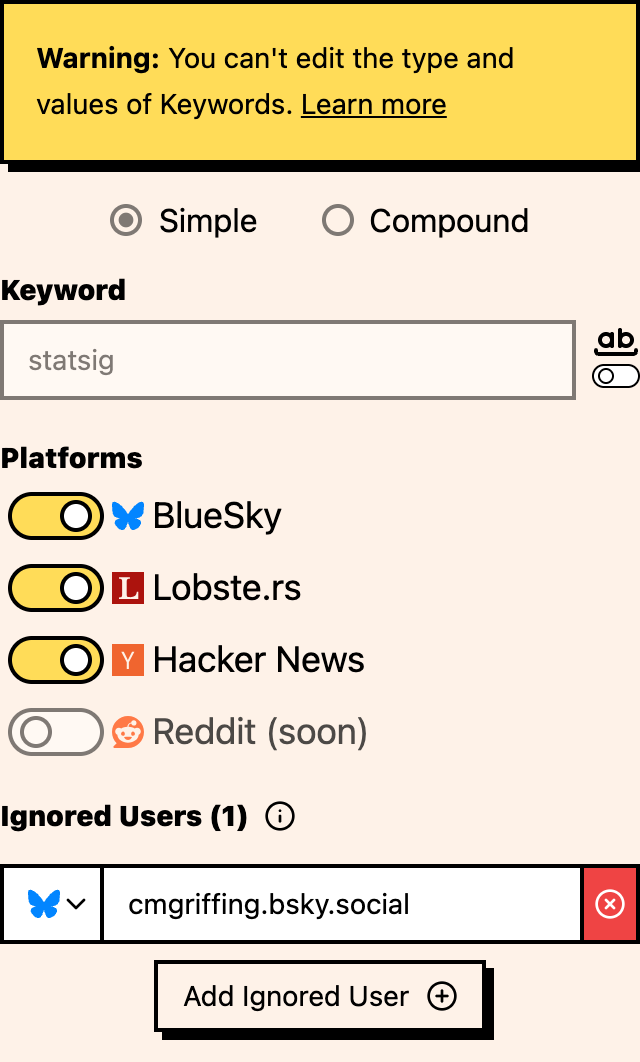
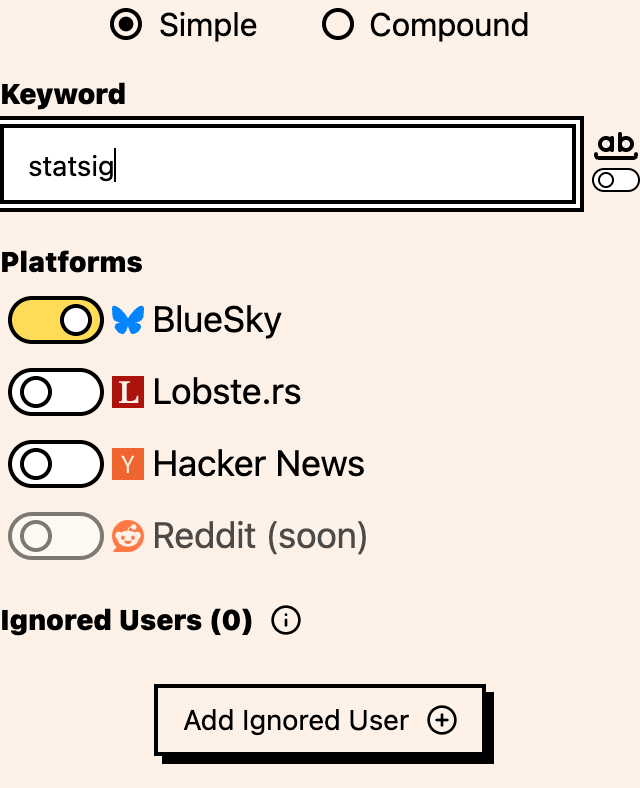
The change takes effect immediately. New events will only come from the selected platforms.
Common patterns
Brand name keywords
Monitor your brand name on platforms where your brand is likely to be discussed. If you’re a B2B SaaS company, Hacker News, Lobste.rs, and BlueSky are usually the first platforms to compare.
Technical terms
Technical keywords (like “web scraping” or “API monitoring”) are usually most relevant on Hacker News and Lobste.rs. BlueSky may generate more casual conversation for these terms.
Consumer brand keywords
Consumer-facing brands may get the most signal from BlueSky among the currently available platforms. If your audience is not active there, keep your first setup narrow and expand as new platforms become available.
Competitor names
Monitor competitor names where industry discussion happens, typically Hacker News, Lobste.rs, and BlueSky communities relevant to your market. Broader social platforms may become useful as they are added.
Practical advice
- Start broad, then narrow. Monitor a keyword on all platforms first, then remove the ones that generate noise. You need data before you know which platforms are noisy.
- Filter your events by platform to see which ones produce high-quality vs low-quality matches.

- It’s normal for different keywords to have different platform selections. Don’t try to standardize.
- If you’re approaching your event quota, reducing platform selection on noisy keywords is one of the easiest ways to cut volume.
- Some terms have different meanings on different platforms. “Thread” on Hacker News means a discussion, while on BlueSky it may refer to a chain of posts. Context matters.
Combining with other features
- Compound keywords + per-platform: use compound keywords to reduce false positives within a platform, then select only the platforms where results are useful
- Lenses + per-platform: if a keyword is somewhat noisy on a platform but occasionally relevant, keep the platform and use a Lens to filter the noise
- Ignored users + per-platform: if a specific user is noisy on one platform, ignore them rather than removing the entire platform
Where to go next
- Simple vs compound keywords: refine matching logic
- Whole-word matching: control exact vs partial matches
- Ignoring users: filter noise from specific accounts